Multi-ballot elections
Run several ballots in a row inside one election, with the same voters.
A multi-ballot election runs several ballots, one after another, with the same voters. A runoff is the usual case: the same position runs again without the winner. Each ballot has its own votes, confirmation codes, results, and insights.
Multi-ballot is for elections only and needs the Starter plan or above. If an event moves to the Free plan, its ballots and results stay readable, but you cannot add new ballots.
Turn it on
- Before the event starts. In Settings > Voting, turn on Multi-ballot and select Update Settings. Your positions move into Ballot #1. You can turn it off again before the start, while Ballot #1 is the only ballot.
- After a single-ballot election ends. Select New ballot on the Ballot page or in the Multi-ballot row in Settings. See Add a ballot after the event ends.
Once voting starts, multi-ballot stays on. It cannot be on together with paper ballots.
The Ballots page
With multi-ballot on, the sidebar shows Ballots. The page lists every ballot, newest first, with its status, positions, turnout, and open and close times. Select a ballot to edit its positions on its own page.
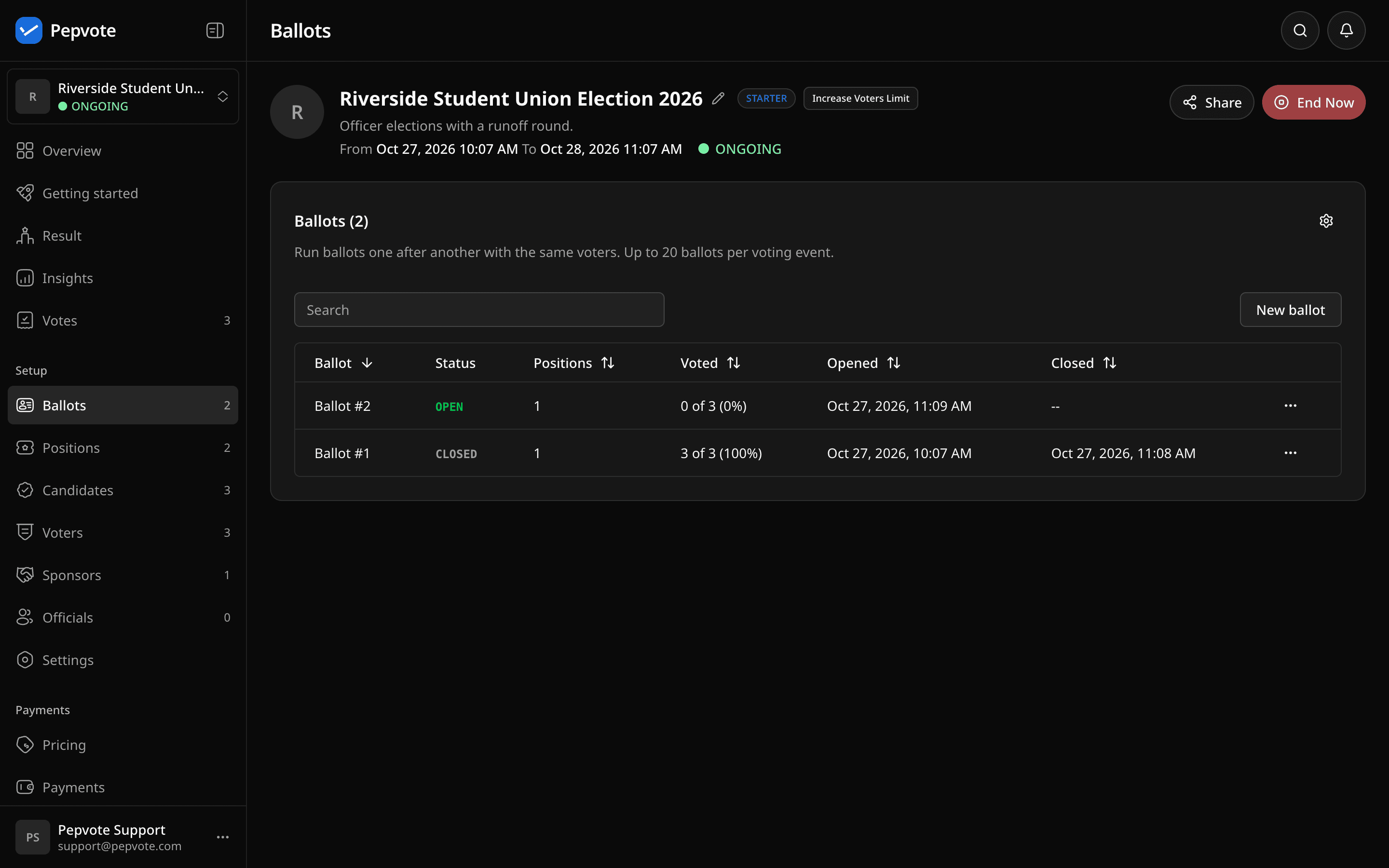
An event can have up to 20 ballots.
Create a ballot
Select New ballot. Ballots are numbered in order (Ballot #2, Ballot #3) and cannot be renamed. Pick how the new ballot starts:
- Copy and remove winners (default) drops each position's winners, up to its number of seats.
- Copy keeps every position and candidate.
- Copy and keep the top N keeps the top N candidates.
- Start blank has no positions.
The dialog shows what each option keeps or removes. Ties at the cut keep every tied candidate. Referendums, ranked choice positions (when you remove winners), and positions with no votes copy unchanged. Votes and confirmation codes never copy.
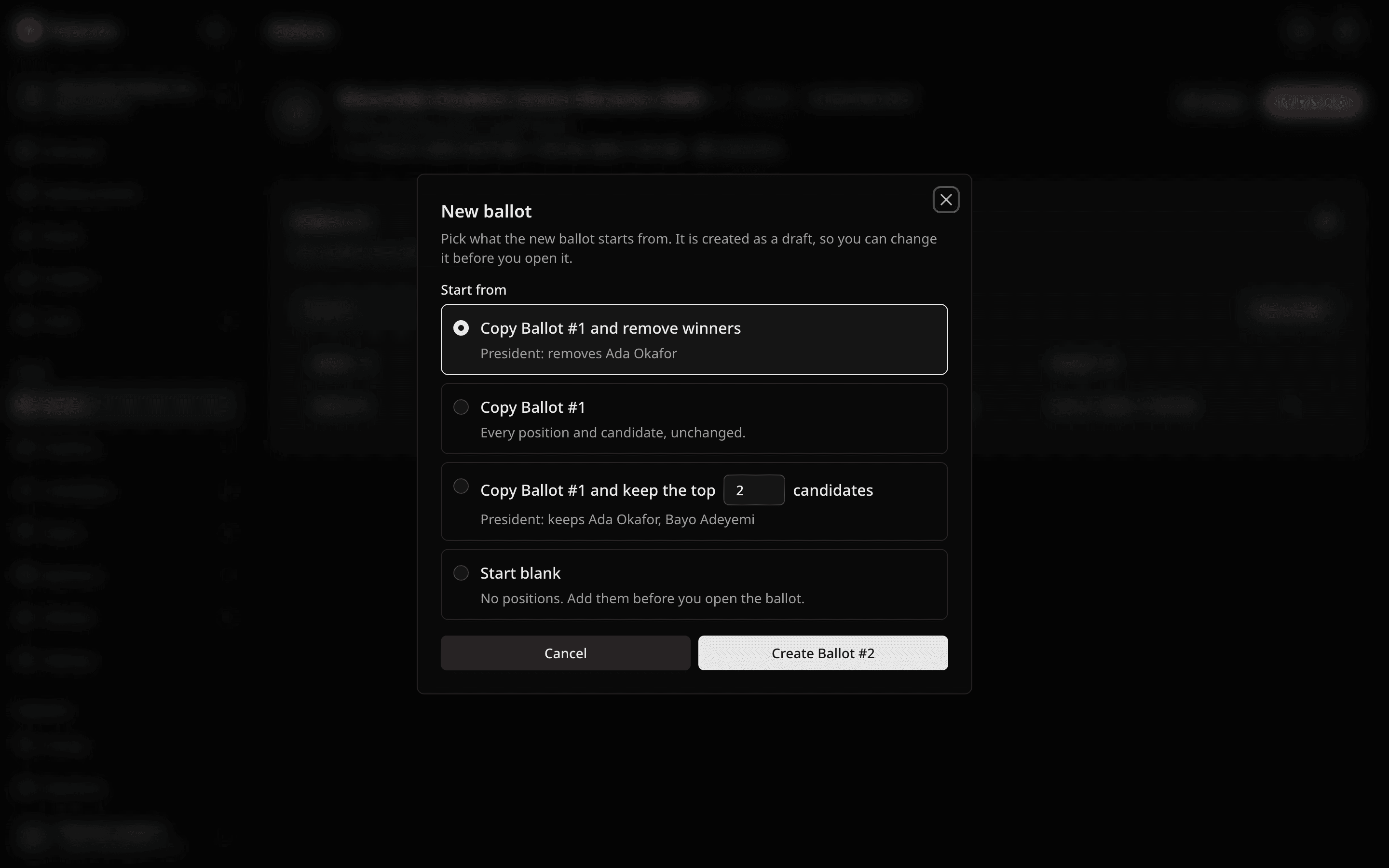
If a ballot is still open, creating a new one closes it. The dialog warns you first.
Open and close ballots
A new ballot starts as a draft. Voters never see drafts. Check its positions, then select Open ballot.
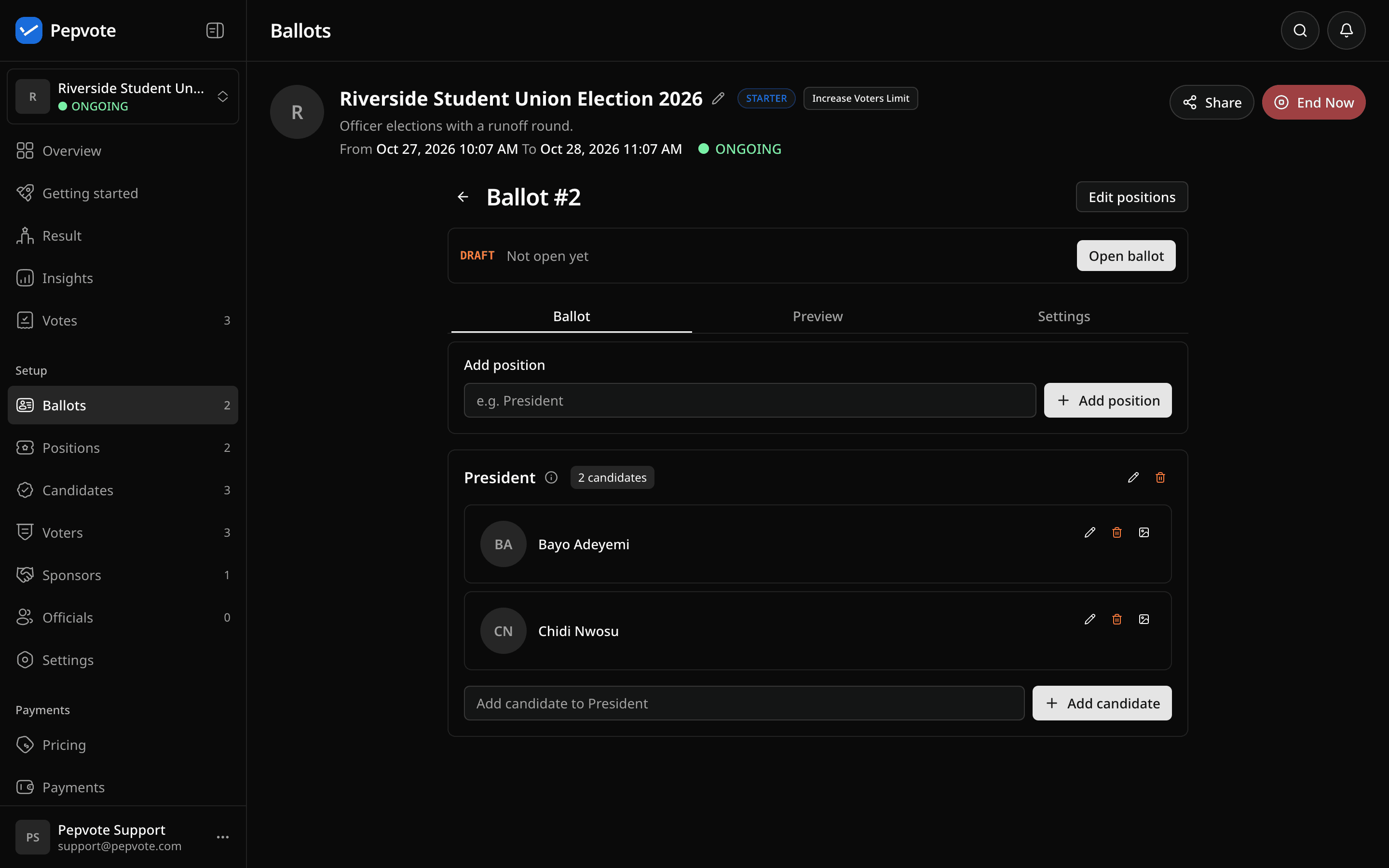
- Ballot #1 opens when the event starts.
- Close ballot ends voting on the open ballot.
- Reopen ballot opens the latest closed ballot again while the event is live. Voters who already voted on it cannot vote again. Delete any newer draft first.
- Delete removes the latest draft.
- When the event ends, the open ballot closes.
To close ballots automatically, turn on Close a ballot when every voter has voted in the Multi-ballot settings. It does not apply to ballots with group-restricted positions. Closing never opens the next ballot.
While the event runs, you can edit the latest draft's positions and candidates. Open and closed ballots, voters, groups, and voting settings stay locked.
Add a ballot after the event ends
You can add a ballot until the event locks, 7 days after it ends. On a multi-ballot event, New Ballot replaces View Result at the top right.
- Select New ballot and pick a copy option.
- Keep No end time or pick a new end time. Voting goes live again.
- Check the new draft and open it.
On a single-ballot election, this also turns on multi-ballot. The old ballot becomes Ballot #1 (closed). While Pepvote prepares Ballot #1 results, Ballot #2 cannot open. Results you published stay public.
What voters see
Voters sign in once with their voter key, an email voting link, or the registration browser check. They can select I have my voter key to type a key they already have. The browser then remembers them until the event ends, so Cast votes takes them straight to the open ballot.
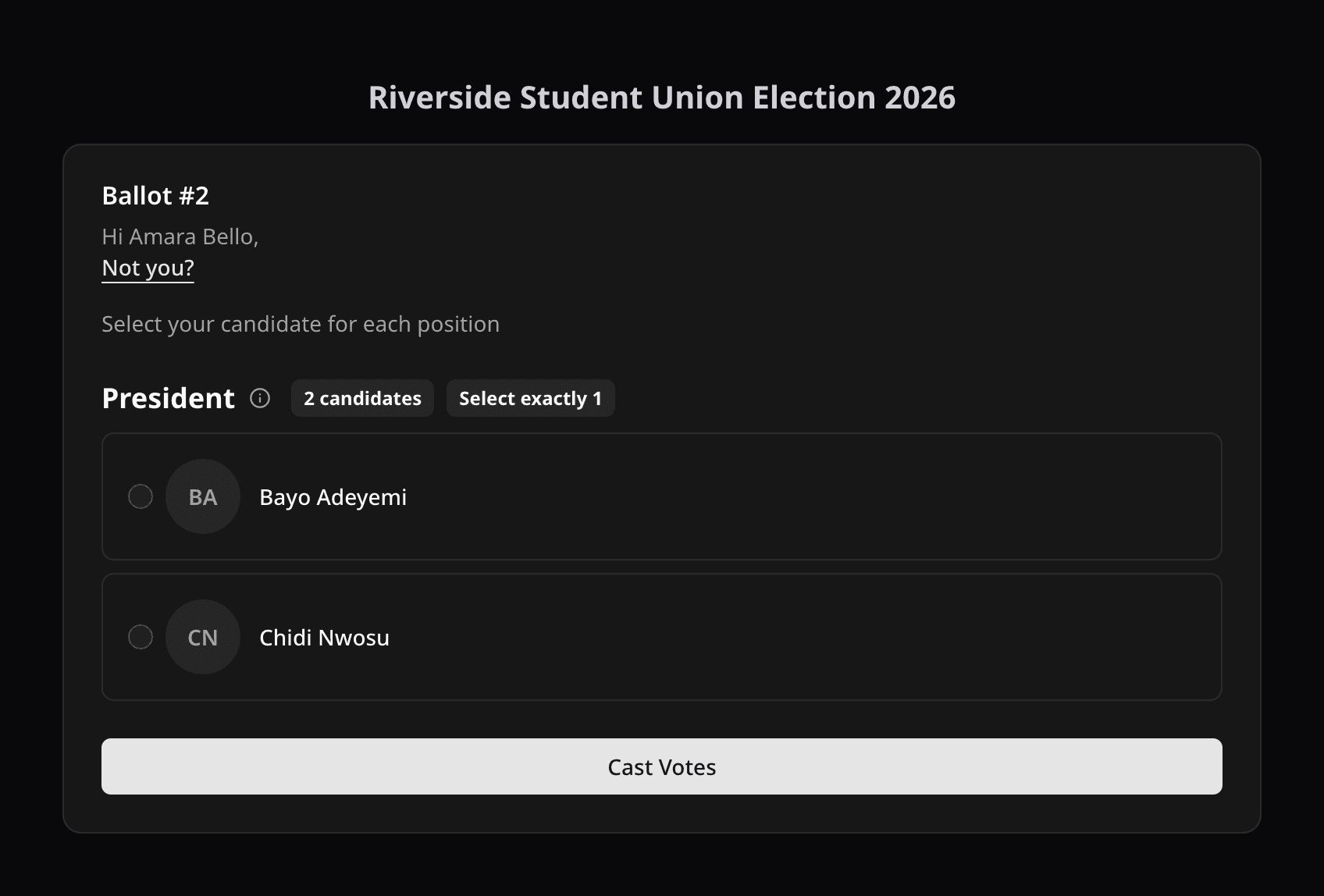
After voting, they see the confirmation code for that ballot. When the ballot closes, they see its result (with Live Result on) and wait for the next one. The page moves to the next ballot on its own.
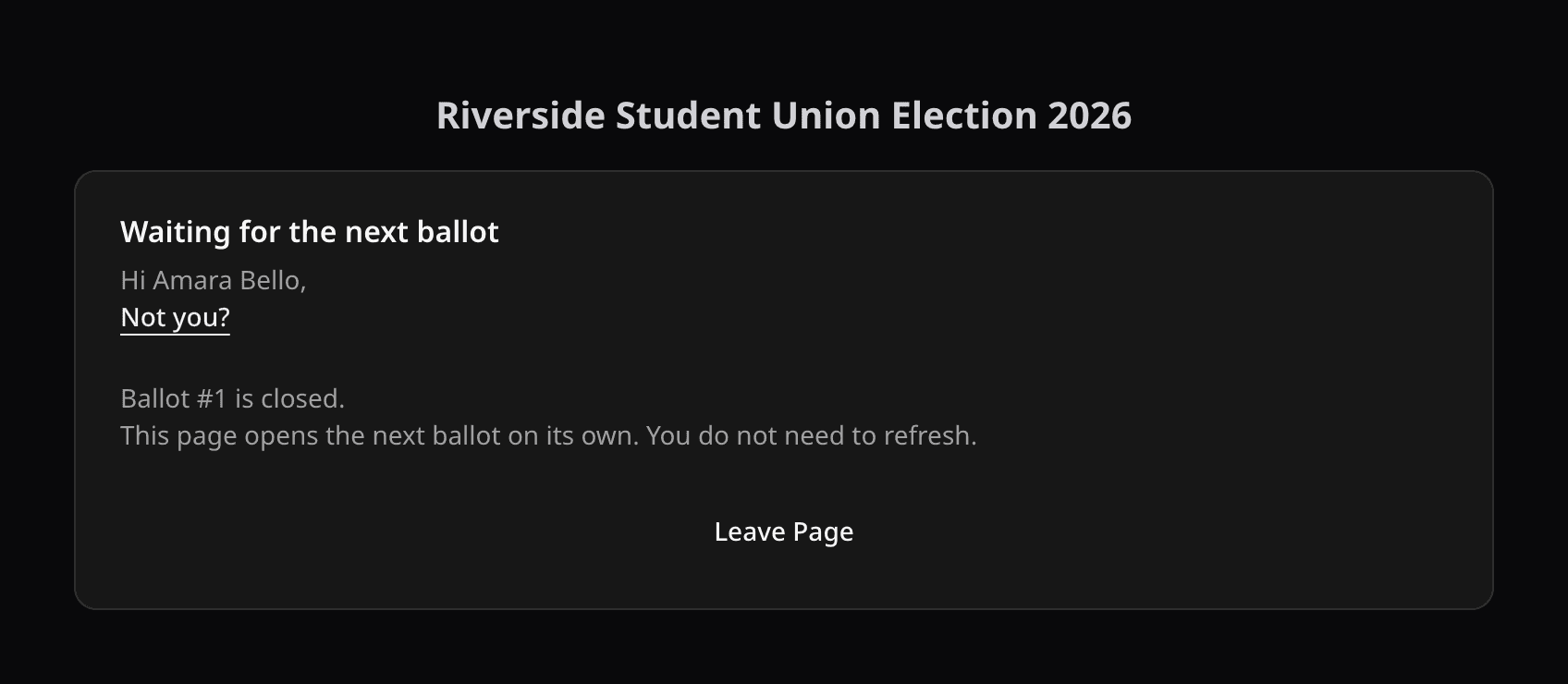
- A voter who missed one ballot can still vote on the next.
- Not you? under the voter's name signs them out on that browser.
- On a new browser, they enter their key again. It works on every ballot.
- Voting centers do not remember voters. They verify at the kiosk for each ballot.
Results and insights
Results and insights open on the latest ballot. Links under the header switch between All ballots and each ballot. The Votes page has a ballot filter.
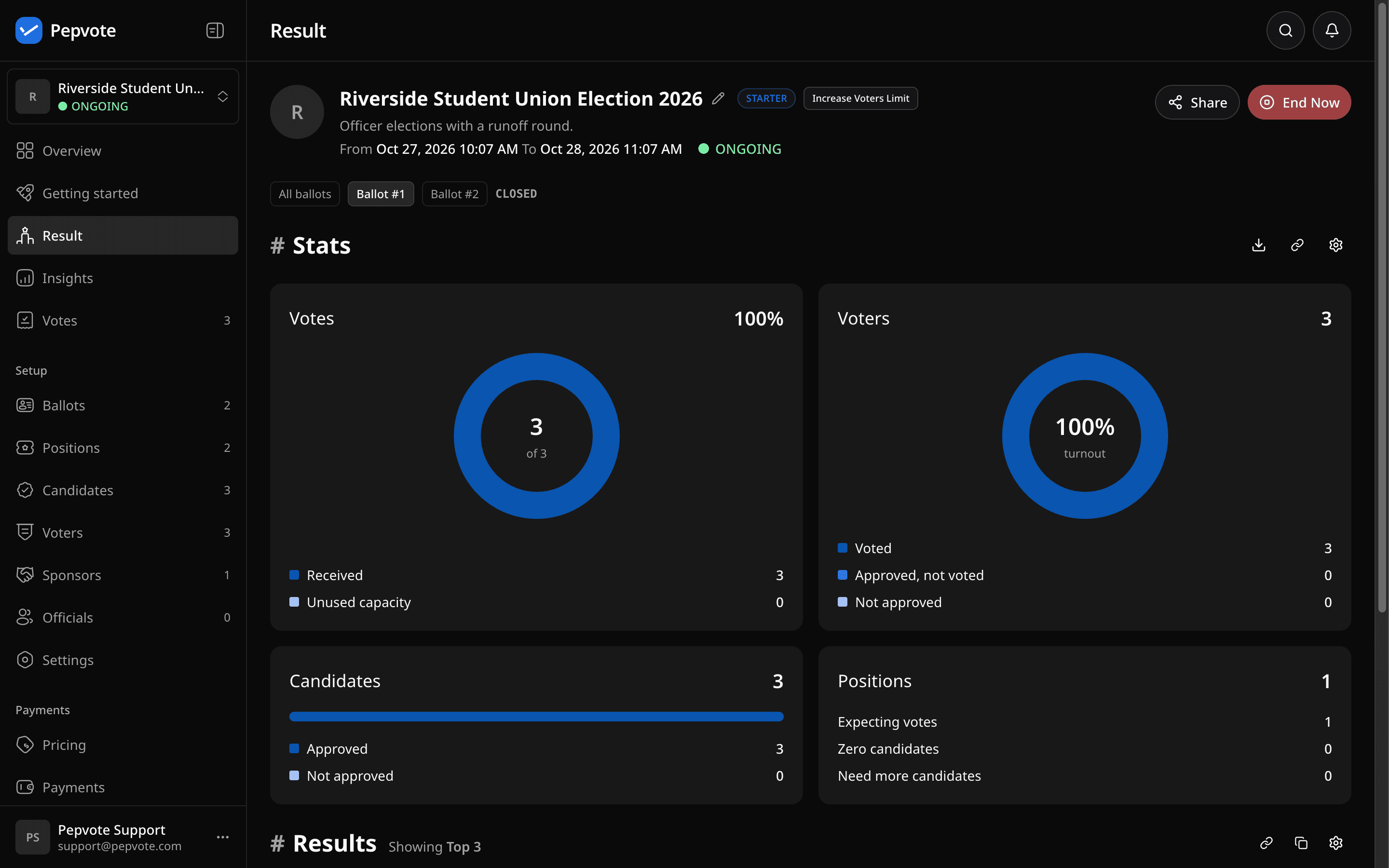
All ballots shows each ballot in its own section. Positions with the same title on different ballots are never added together.
On the public result page, voters see closed ballots only, and only with Live Result on. All ballots shows those closed ballots together. After the event ends and results are published, every ballot shows, and the page opens on All ballots.
On the Voters page, Voted is YES when a voter voted on at least one ballot. Hover over YES to see which ballots.
Not available yet
- Paper ballots with Multi-ballot elections.
- Voting through the public API for Multi-ballot elections. Read endpoints still work.
- Start and end times for each ballot, renaming ballot titles, and changing voters between ballots.
Related help
Last updated October 27, 2026