Results and visibility
Read the result page and control who can see results and when.
Who can see results
Two switches in Voting Event Settings → Result control the public result page:
| Switch | Result is public |
|---|---|
| Live Result | Right away, even before voting starts, until you turn it off |
| Publish Result | After the event ends |
Turn on both if you want live results that stay public after the end. Turn on only Publish Result if you want nothing shown until voting closes.
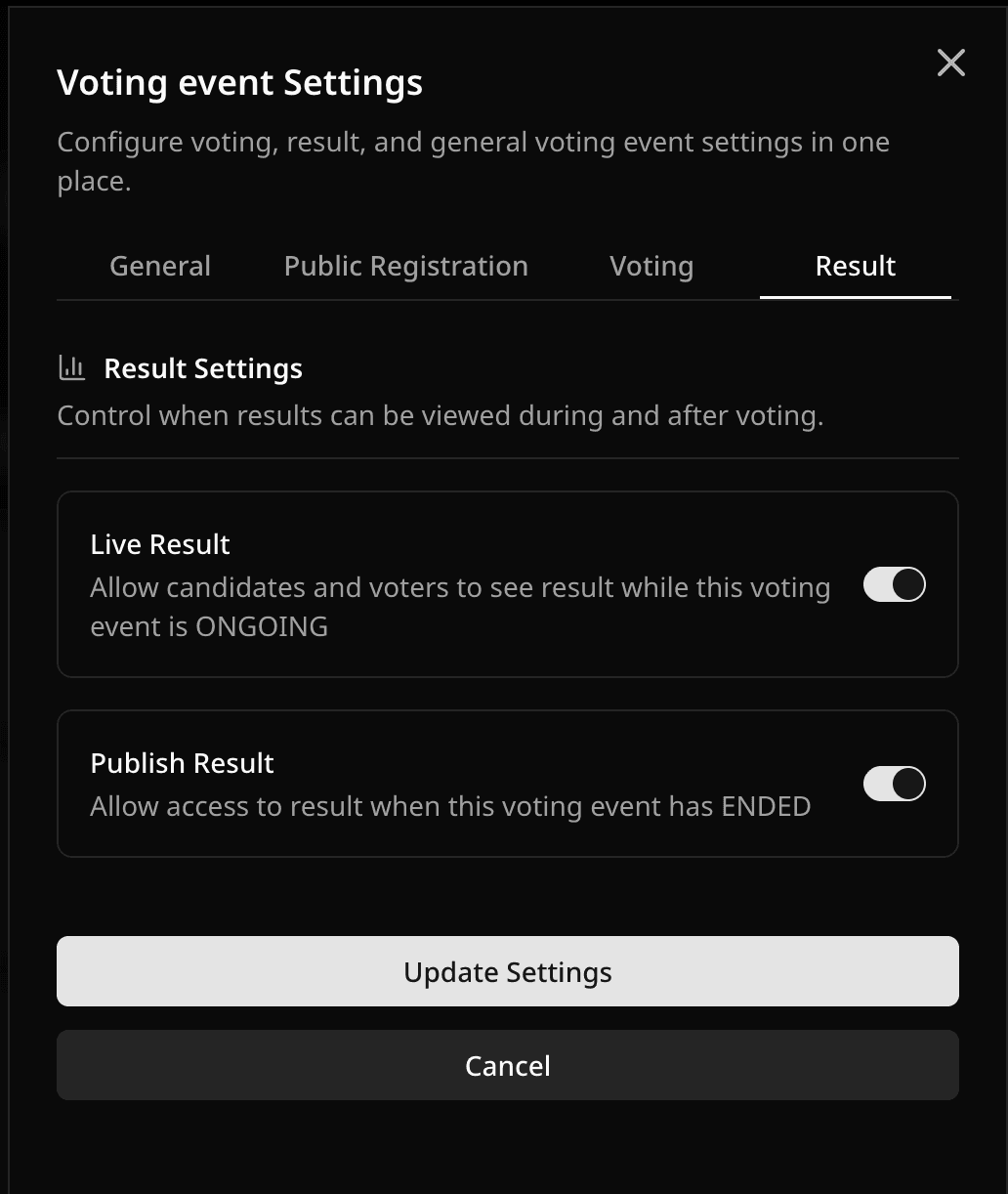
When either switch is on, the dashboard Result page shows an open public result action. Share that link or the event code. Owners, Managers, Observers, and Sponsors can always see results in the dashboard. Everyone else follows the switches. See Roles and permissions.
Reading the result page
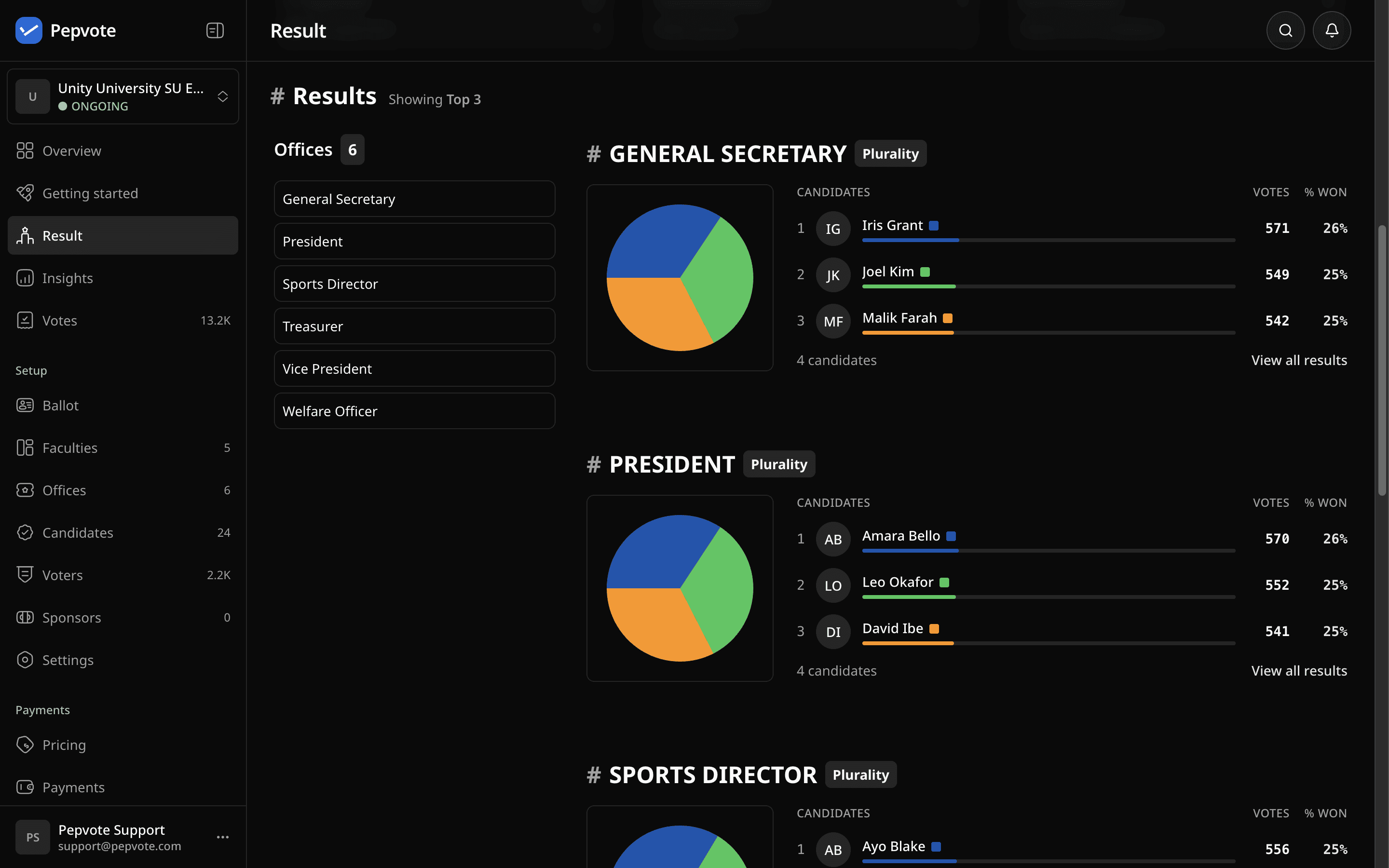
Each position shows its totals with a label that matches the method: votes, approvals, total score, or allocated points. Weighted events show both raw and weighted totals. Ranked positions show round-by-round detail when you open the position.
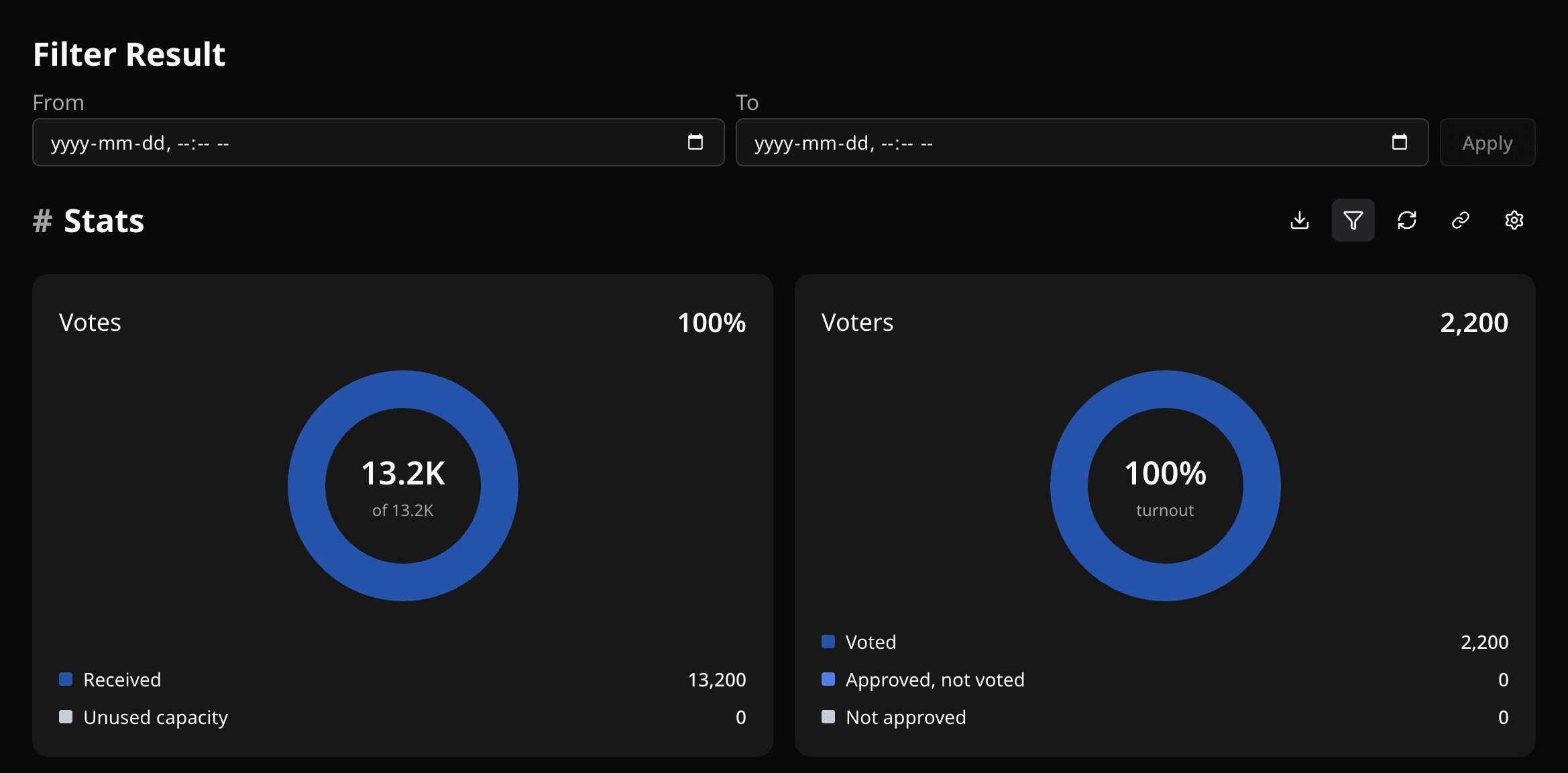
The Votes statistic includes selection coverage: how many of the possible selections voters filled in, as a percentage.
Positions show the top 3 candidates first. Change that with Show Top Candidates (2 to 10), or open a position to see everyone.
Filtering by date (Custom plan)
Select Filter Result, set From and To, and apply. The page and the PDF both use the range.
What each plan includes
| Free | Starter | Custom | |
|---|---|---|---|
| Dashboard results and result PDF | Yes | Yes | Yes |
| Live Result and Publish Result | Yes | Yes | Yes |
| CSV exports | No | Yes | Yes |
| Voting Insights | No | Yes | Yes |
| Date filters and recounts | No | No | Yes |
Result looks wrong?
- Public page says not available: check the two switches and whether the event has ended.
- A candidate is "missing": open the position. Only the top N show on the card.
- Totals look stale: clear any date filter. On a Custom plan, run Recount Results.
Related help
Last updated October 16, 2026