Voting Insights
See how voting went: ballots started and finished, votes over time, and where voters were.
Open the event and select Insights. It needs a Starter or Custom plan and a role that can see results.
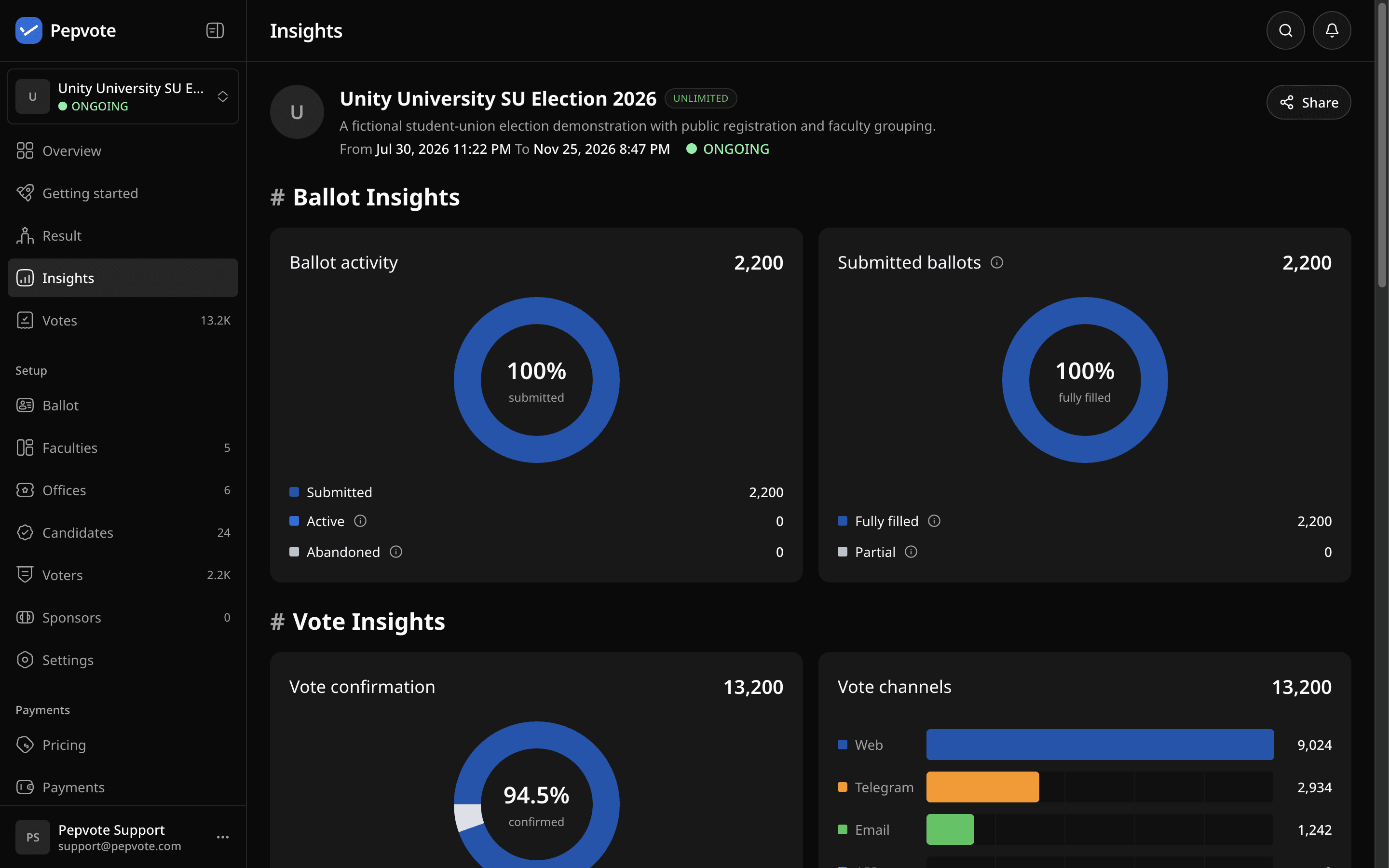
What you get
- Ballots: started, submitted, abandoned, and still active. Submitted ballots split into fully and partly filled.
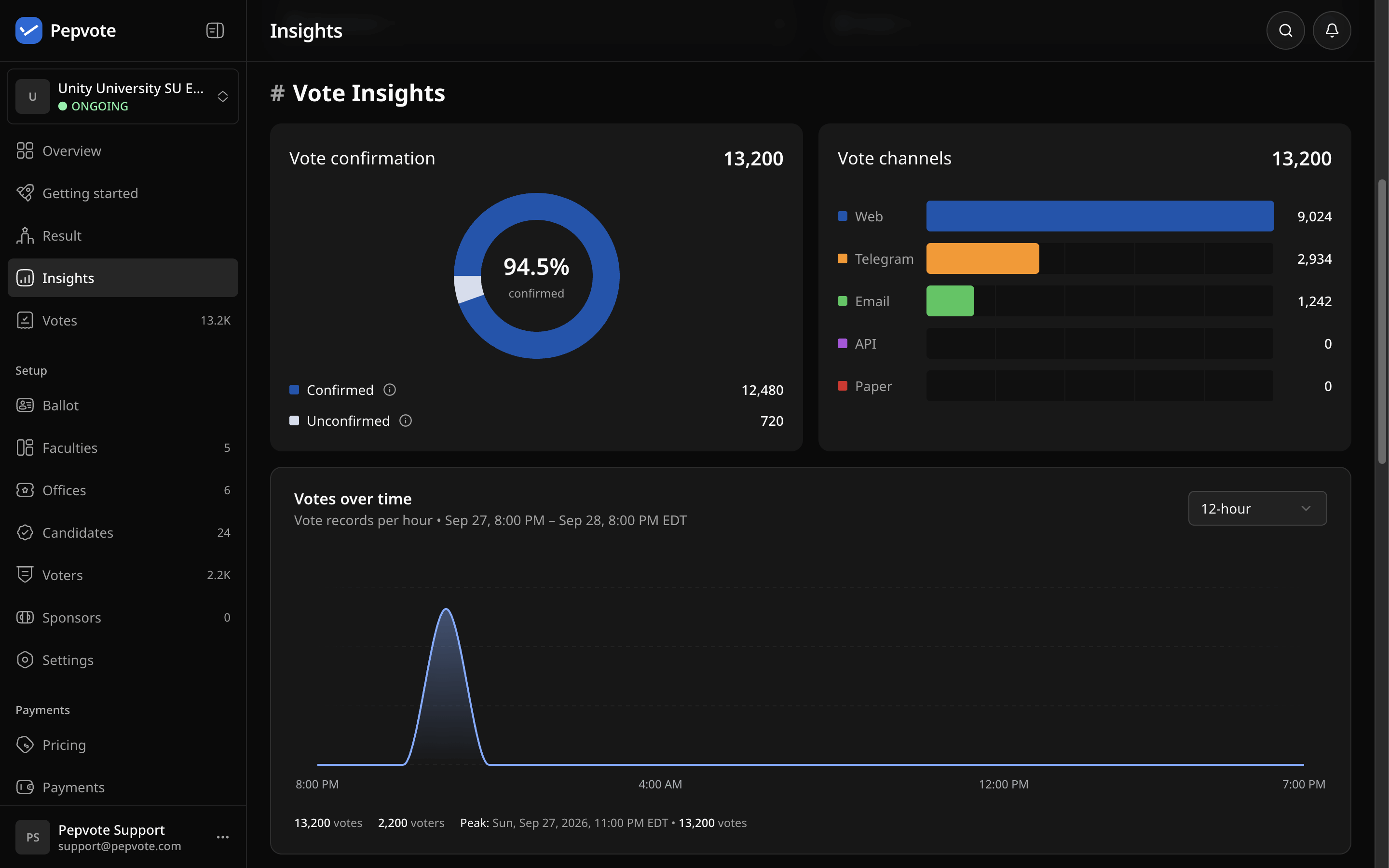
- Votes: confirmed versus unconfirmed, votes by channel, and votes over time.
- Geography: votes by country, with a map you can drill into by region. Also how many votes came through a VPN.
- Voting centers: votes per enabled center, if the event uses them.
Location comes from the voter's IP address, so treat it as a rough guide, not proof of where someone was. To protect small groups, any row with fewer than 10 unique voters shows < 10 instead of the exact number.
Related help
Was this helpful?
Last updated October 16, 2026