Voting event actions
The actions in the event menu and when each one appears.
Open the event and use the command menu or Manage Voting Event. What you see depends on your role, the event type, its status, and its plan.
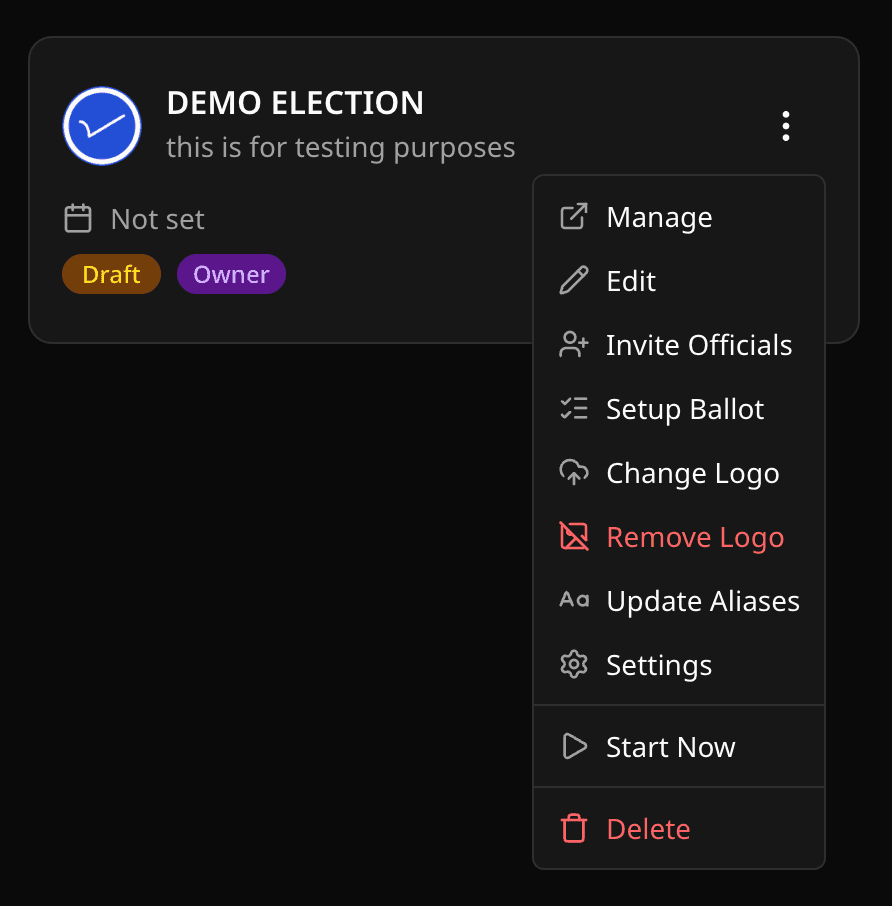
Everyday actions
- Share Links copies the public links for the event. See Share voting links.
- Embed Scripts gives you an iframe for each public page.
- Edit voting event changes the title, description, and schedule.
- Update Aliases renames labels like Position and Candidate.
- Voting Event Settings holds every switch. See Voting event settings.
- Invite Officials adds Managers, Polling Officers, and Observers.
- Upload logo sets the event logo.
- Cast Votes and Confirm Votes open the participant pages.
Start, end, delete
- Start voting event now opens voting immediately (Draft or Upcoming only). An election needs at least 1 position, 2 candidates, and 1 approved voter first.
- End voting event now closes voting immediately (Ongoing only).
- Delete voting event is Owner-only and only while the event is Draft or Upcoming. Export anything you need first.
An action is missing?
Check your role in Roles and permissions, the event status, and whether the feature needs a higher plan. Sponsors only exist on polls, and Groups only with Group Mode on.
Related help
Was this helpful?
Last updated October 16, 2026