Pay to Register
Charge candidates a fee when they register through the public link.
Pay to Register works in elections and polls on a Starter or Custom plan, with a Ready payment business linked and Candidate Can Register on. It applies to candidates only, never voters.
Set the price
Open the event, go to Pricing, turn on Pay to Register, and choose a mode:
| Mode | Candidate pays |
|---|---|
| Per registration | One price |
| Per selected position | The total of the prices for the positions they pick |
For Per registration, enter the amount in your business currency and save.
For Per selected position, pick the currency, then click Set up next to a position and enter its price. Each position can have a different price. The first price you save also fills any position that has no price yet, so you can edit each one afterwards. A candidate who picks President at 50 and Secretary at 20 pays 70.
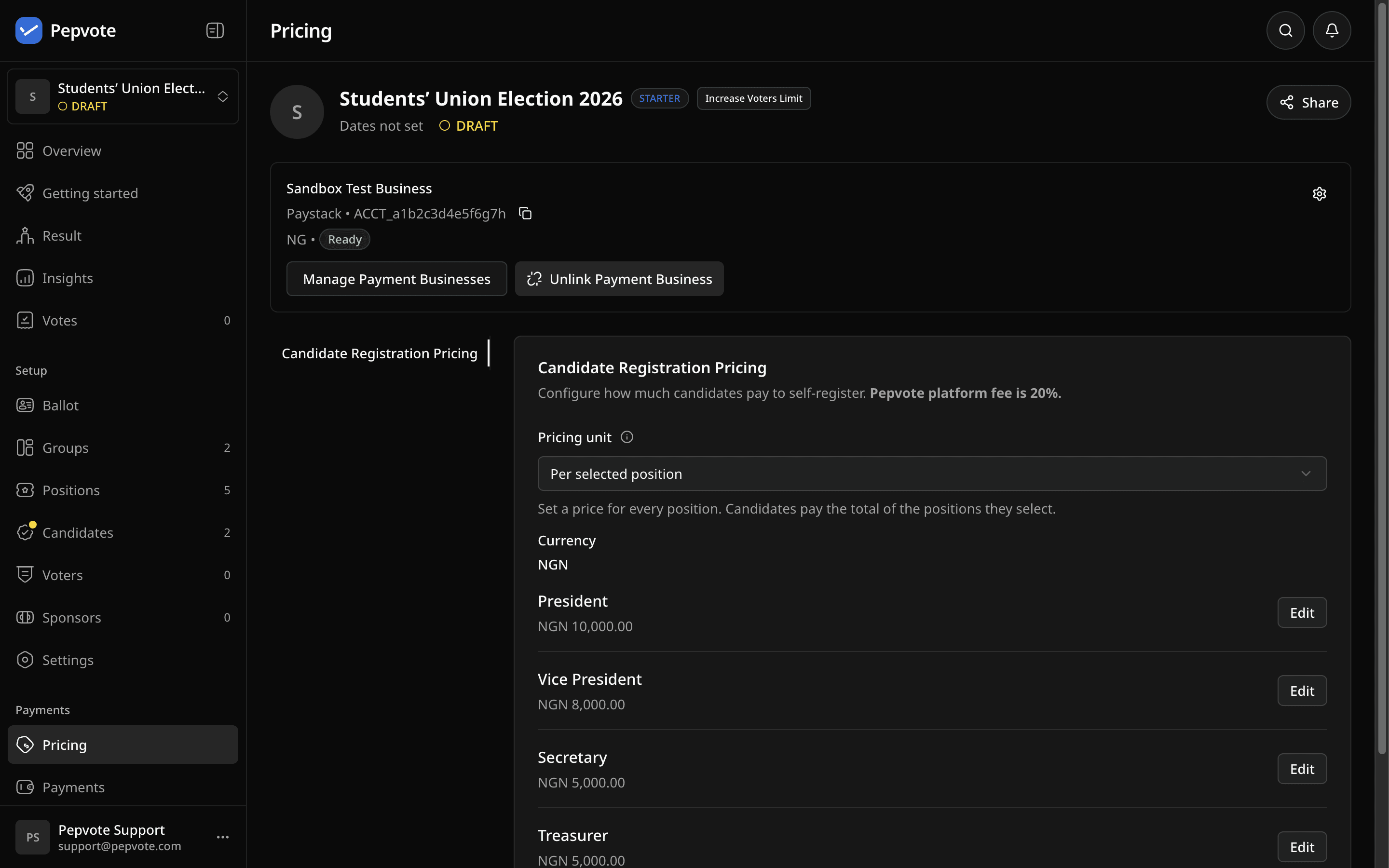
What candidates see
They fill in the registration form, pick positions, see the fee, and pay. Under per-position pricing, each position shows its fee in the list, and the form shows the total for the positions they pick. Pepvote creates the registration only after the provider confirms payment. Paying does not approve them. You still review and approve each candidate before they appear on the ballot.
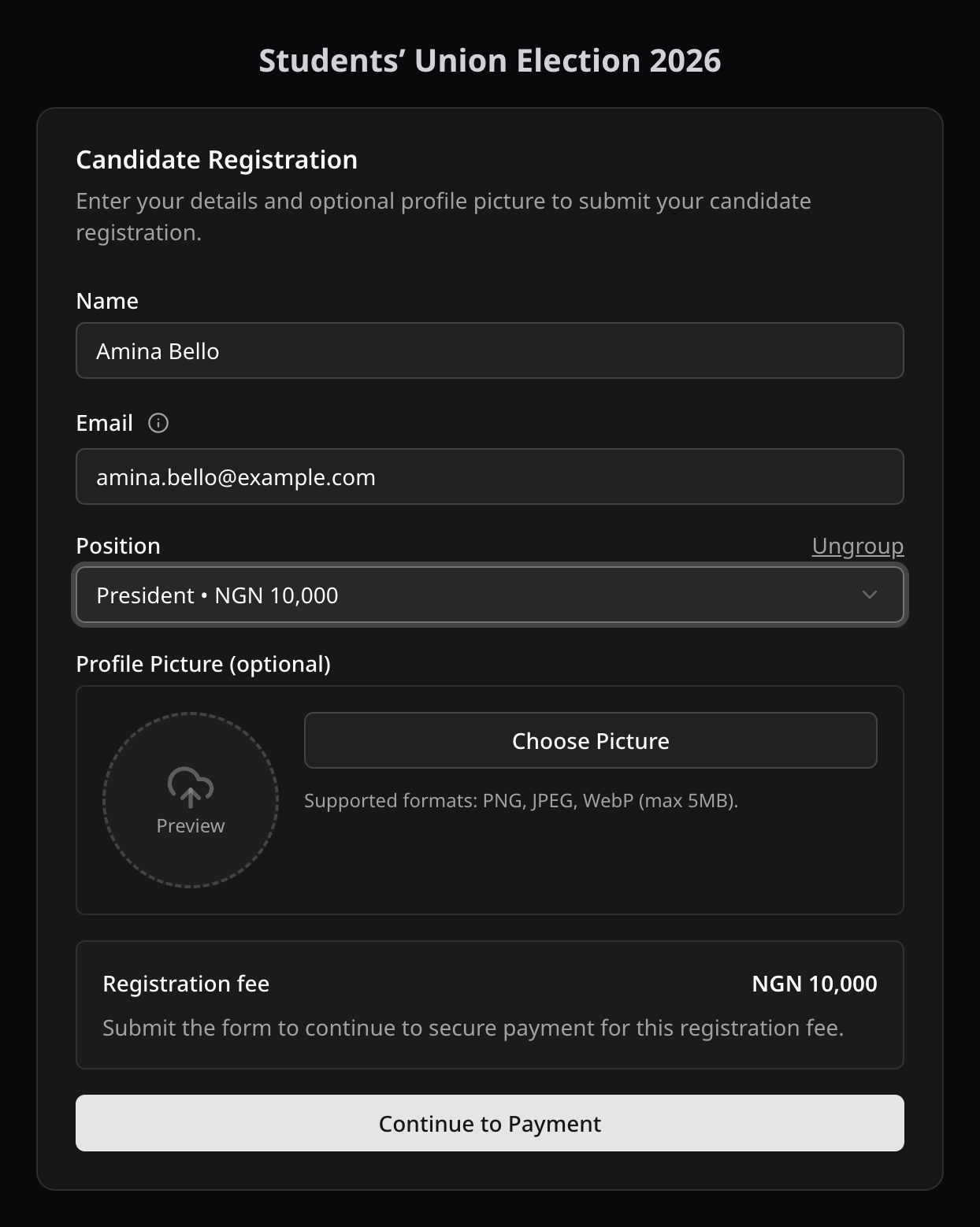
The Payments page shows the candidate's name and email with each registration payment.
Candidate cannot pay?
- Payment step is missing: check the plan, Candidate Can Register, the Pay to Register switch, the linked business is Ready, and a price is saved.
- Declined: that is between the candidate and their bank.
- Paid but not registered: tell them not to register again. Keep the payment reference and see Troubleshoot a payment.
Related help
Last updated October 16, 2026