Troubleshoot a payment
What to check when a payment fails, hangs, or does not deliver.
First, find the payment
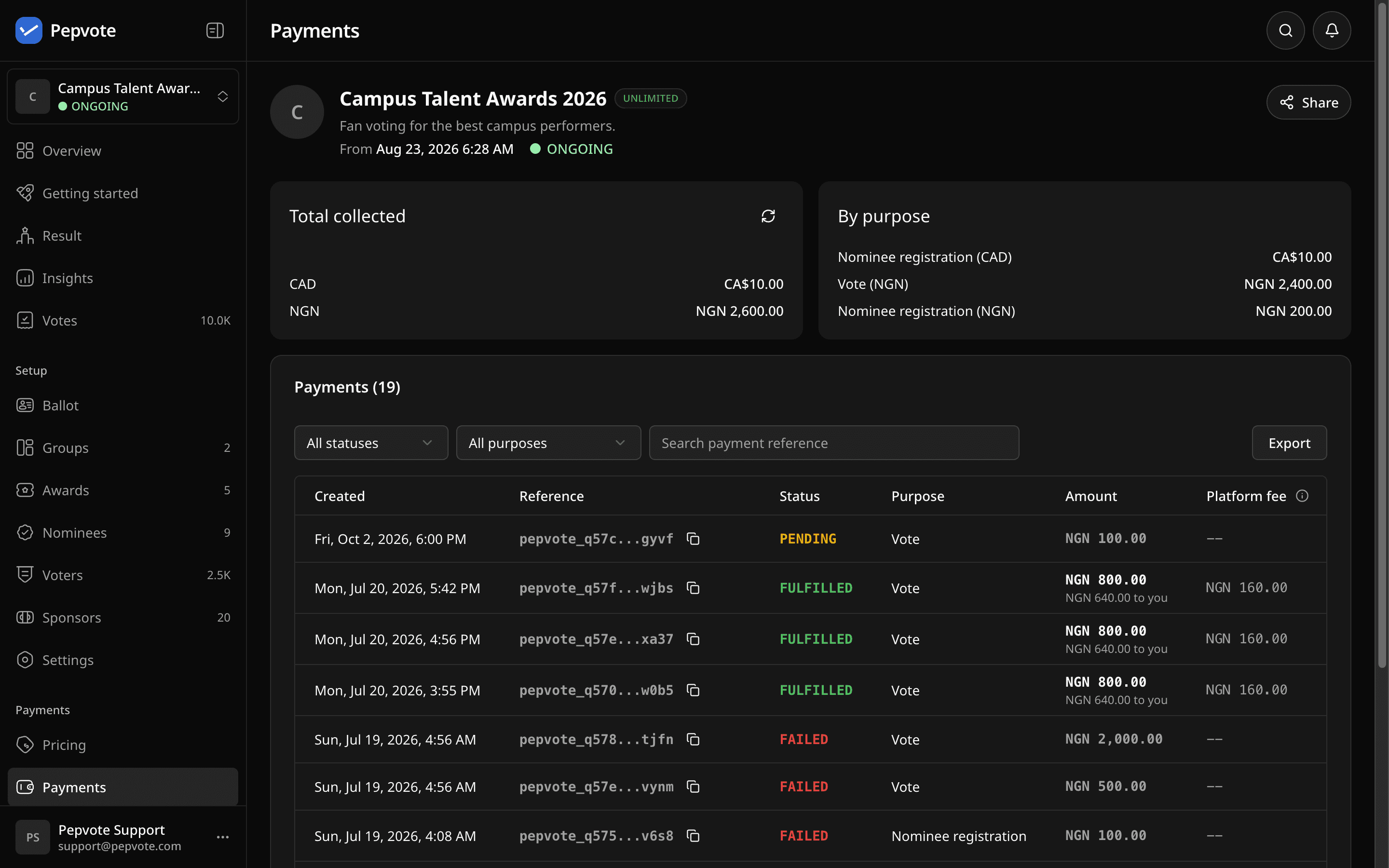
Organizers: open the event's Payments page and filter by status, or search by the reference (Paystack references start with pepvote_). Note the reference, provider, purpose, amount, status, and time. Support will ask for these.
By status
| Status | What to do |
|---|---|
| Created | Checkout never started. Start again if nothing was charged. |
| Pending | Provider has not confirmed yet. Wait. Do not pay again. |
| Succeeded | Paid. Pepvote is delivering the item. Wait a moment. |
| Fulfilled | Done. Vote recorded, candidate registered, or credits added. |
| Failed | Not charged. Start again. |
| Cancelled | Voter backed out of a credit purchase. Credits released. |
Common cases
"Paid voting is unavailable" or the fee step is missing. Check in order: the event plan is Starter or Custom, the paid feature switch is on, a Ready payment business is linked, a price is saved, and the person meets the normal voting or registration rules. For candidates, Candidate Can Register must be on. Paystack vote payments need the voter's email.
The provider declined the card. That is between the payer and their bank. Ask them to try another method. Pepvote cannot override it.
Paid, but nothing happened. Wait a moment. For a vote, the voter should try again with the same email address used for the first payment. Pepvote recognizes the payment and completes the ballot instead of charging again. If the status still is not Fulfilled, contact support with the reference.
Voter registration says the limit is reached. The event is at its voter capacity. The owner can buy more.
Credit purchase is missing or the amount is rejected. The position must allow top-ups with a per-voter cap and saved pricing, and the purchase must stay within the minimum, maximum, and cap. Abandoned credit checkouts are released after 60 minutes.
Contact support
Email support@pepvote.com with the event code, your role, the payment reference and provider, the time, and a screenshot. Never send card numbers, CVVs, or passwords.
Related help
Last updated October 16, 2026