Voting centers
Only accept ballots from voters who are physically at an approved location (Custom plan).
With a voting center enabled, the ballot stays locked until the voter passes a browser location check. Available on the Custom plan.
Add a center
In Voting Event Settings → Voting centers, add a center with a name, optional address, latitude, longitude, and radius in metres. Use current location fills in the coordinates from your browser. Centers start disabled. Enable a center when you are ready to apply it.
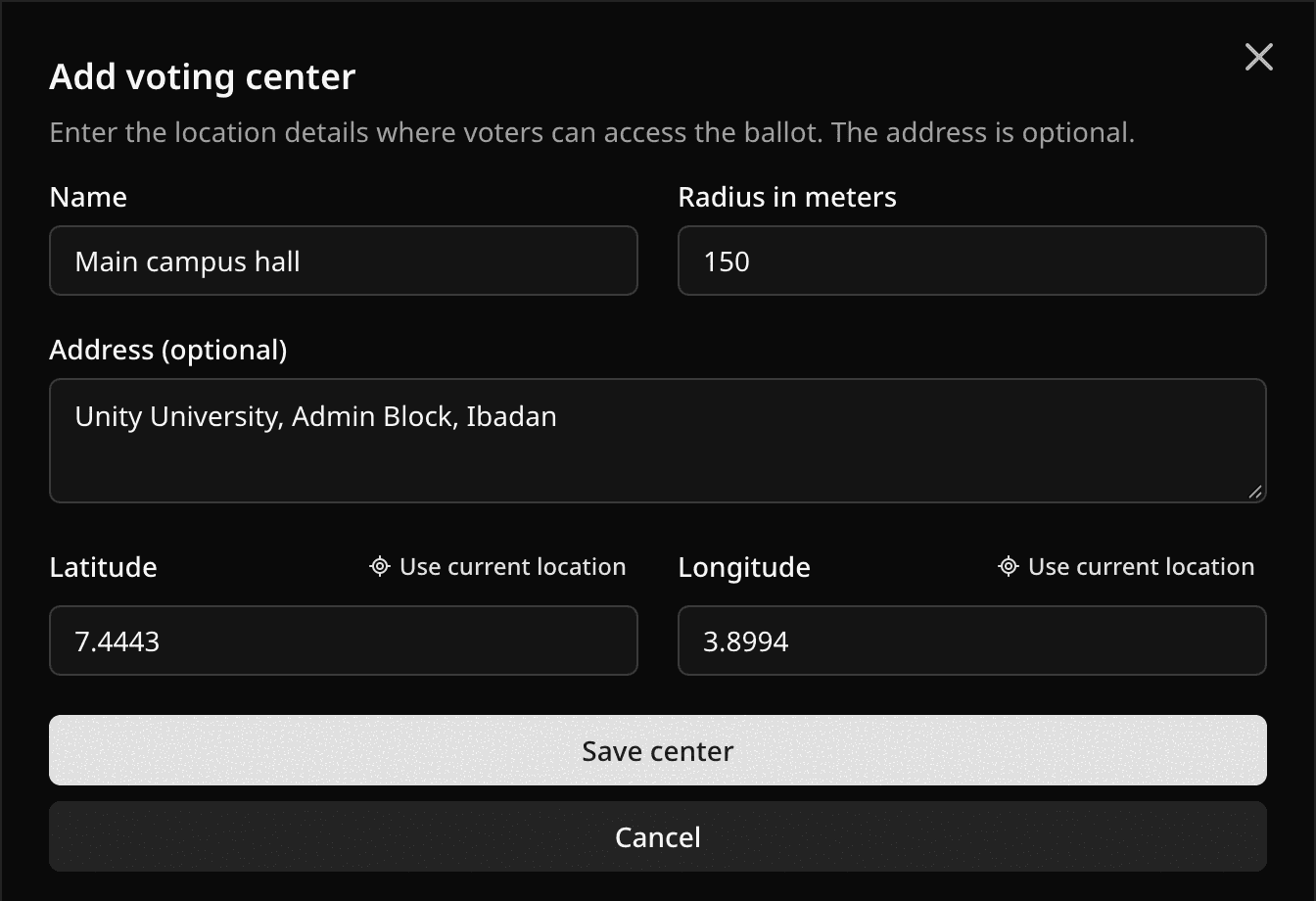
The address is just a label. Pepvote does not look it up. Get the coordinates right.
What voters experience
They select Check my location, allow location access, and if they are inside an enabled center's radius the ballot unlocks for 30 minutes. Their selections survive a re-check. Voters see up to three center names, never the coordinates or radii.
| They see | They should |
|---|---|
| Location access was denied | Allow location for Pepvote in the browser or device settings and retry |
| Location unavailable or timed out | Turn on device location, move somewhere with better signal, retry |
| Browser does not support location | Use a different browser |
| You must be at an approved voting center | Move inside the center and retry |
A location check confirms where a device says it is. It is not proof of identity, and a modified device can fake it.
Changing centers
You can edit, enable, disable, or delete centers while the event can still be edited. A center that already has votes cannot be deleted, only disabled. Changes affect future checks only. Disabling every center removes the location requirement.
Coordinate ranges, the radius range, and the enabled-center cap are in Current limits.
Related help
Last updated October 16, 2026