Run a referendum or AGM resolution
Put a yes/no question to voters, read the For/Against split, and declare the outcome under your own rule.
A referendum position asks one question with two or three fixed responses: For, Against, and optionally Abstain. Each voter picks exactly one. Pepvote counts the responses and shows the split. It does not say whether the proposal passed; you apply your organisation's rule to the numbers.
Set one up
Fastest: create the event from the AGM resolutions or Constitutional referendum template. Both come with referendum positions and their responses already in place. You can rename the responses ("Approve" and "Reject" work as well as "Yes" and "No") but not add or remove them.
By hand:
- Add a position and choose Referendum as the voting method. The selection limits are fixed at one response.
- Add two or three options to it. On each, set the Referendum role to For, Against, or Abstain. Every referendum needs one For and one Against; Abstain is optional.
- Name the options however your members expect: For/Against, Yes/No, Approve/Reject.
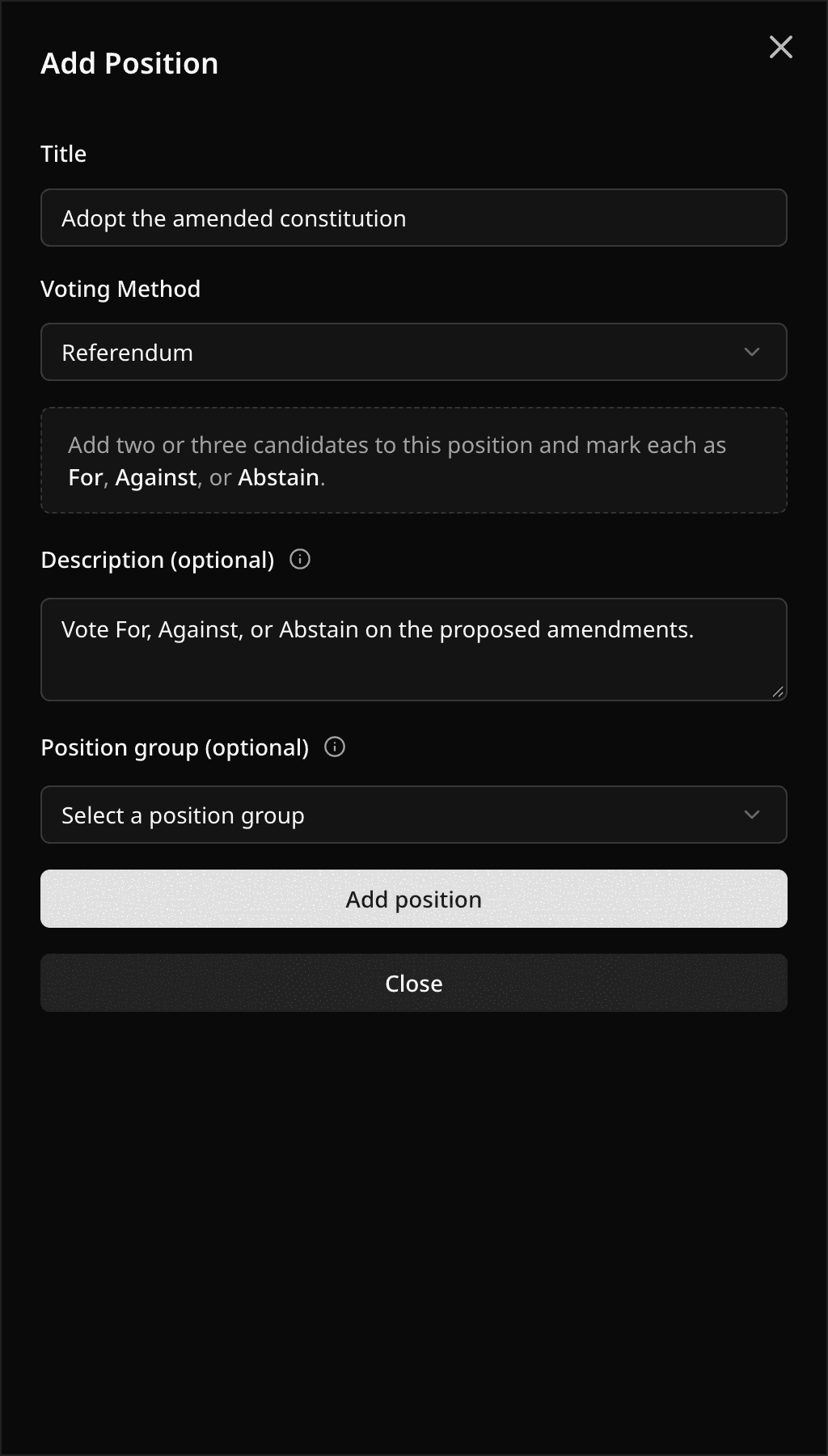
Referendum responses never shuffle, even when shuffling is on for the event, so the ballot always reads For, Against, Abstain. Public candidate registration never offers a referendum position, because nobody registers as "Yes".
If you change an existing position to Referendum, its options stay. Until you set a role on each one, the position votes and counts as ordinary single choice and the result stats show Referendums need roles.
Read the result
The result page and the PDF show a referendum as a split bar with a card per response:
- Count and share of all responses for each side.
- When there is an Abstain response, For and Against also show their share excluding Abstain. That is the usual denominator for a majority rule.
- Turnout is in the stats block at the top of the page.
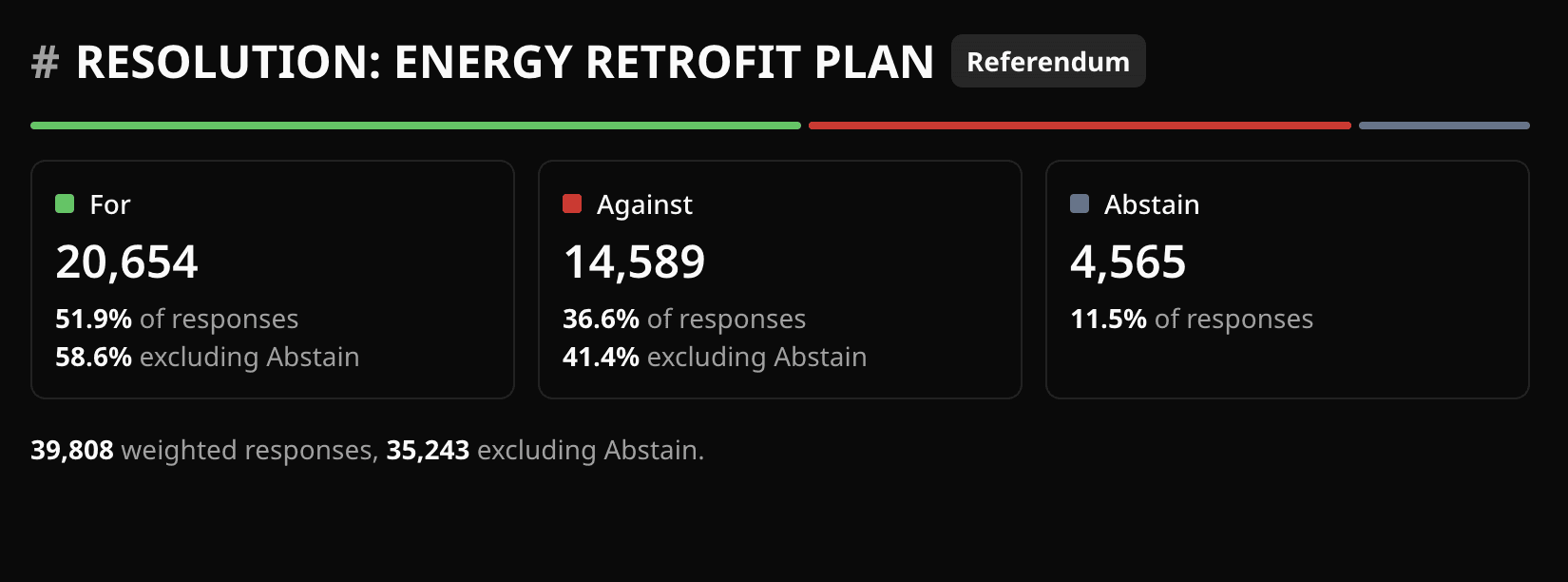
Weighted voting applies as it does everywhere else: the split uses weighted totals when the event has weights on.
Declare the outcome
Pepvote reports; you decide. Common conventions and how to read them off the split:
| Rule | Read |
|---|---|
| Simple majority of valid votes | For's share excluding Abstain is above 50%. |
| Majority of all responses | For's share of all responses is above 50%. Abstentions count against. |
| Two-thirds (or any supermajority) | For's share excluding Abstain reaches your threshold, for example 66.7%. |
| Quorum plus majority | Turnout meets your quorum, then apply one of the rules above. |
| Minimum eligible-voter support | For's count divided by approved voters reaches your percentage. |
Example: 310 responses, For 168, Against 111, Abstain 31. For is 54.2% of all responses and 60.2% excluding Abstain. It passes a simple majority under either denominator and fails a two-thirds rule.
A tie is a tie. Pepvote shows equal counts and does not pick a side.
Related help
Last updated October 16, 2026