Invite officials
Give Managers, Polling Officers, and Observers access to your event.
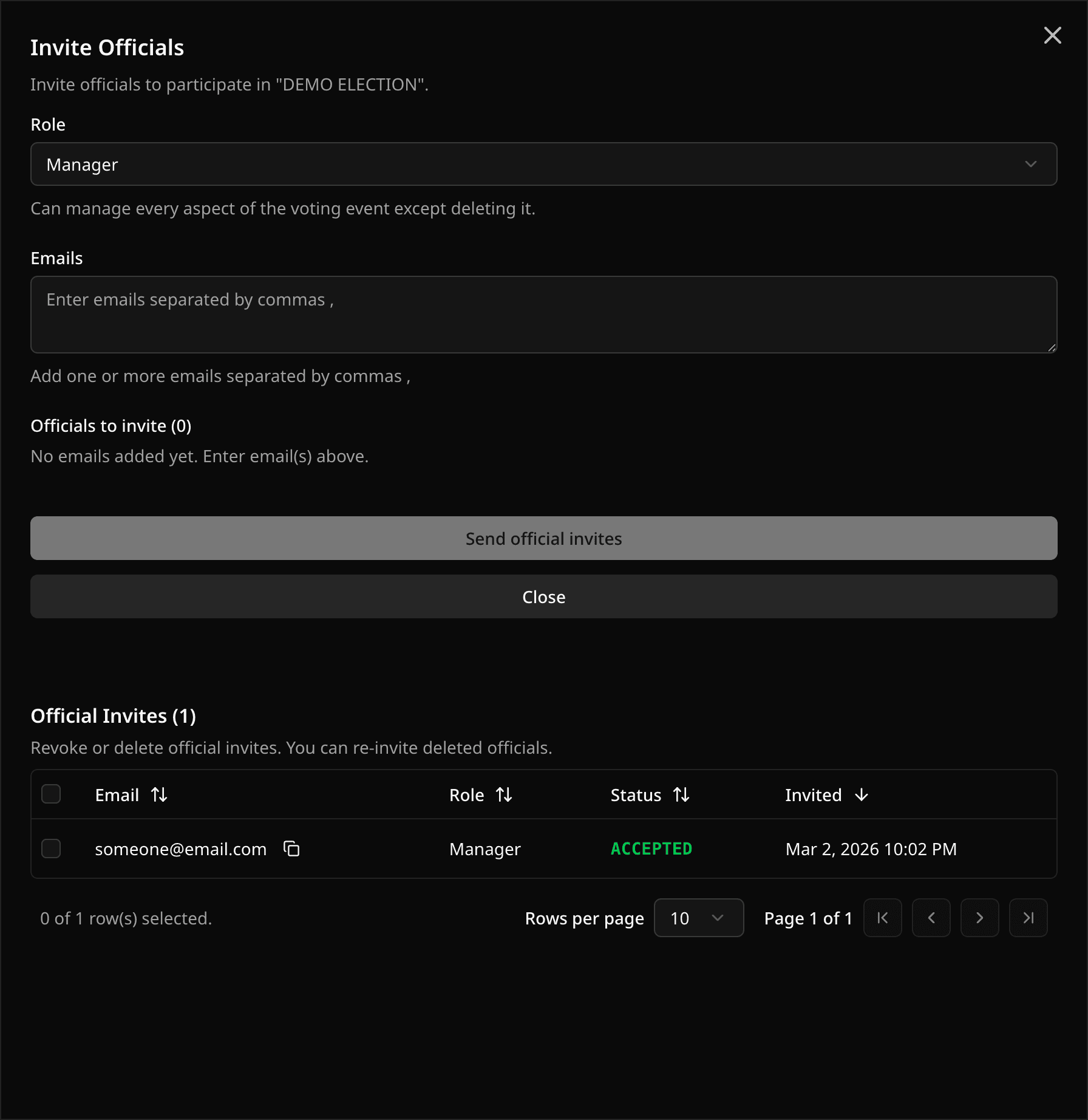
Open the event and select Officials in the sidebar, under Setup between Sponsors and Settings. Select Invite Officials, pick a role, enter the email addresses, and send.
You can paste up to 200 email addresses at once. Separate them with commas or new lines. Everyone in one batch gets the same role, so send one batch per role.
You can also open the invite form from the event's Invite Officials action or the command menu.
Manage officials
The Officials page lists every official invite for the event in one table.
- Search by email.
- Filter by role or status.
- Select rows to Revoke or Delete many invites at once, or use the row menu for one invite.
Only the Owner and Managers can see the Officials page.
Roles
- Manager can do almost everything you can, except delete the event.
- Polling Officer manages ballot data (positions, candidates, voters) but not settings or invites.
- Observer can watch votes, results, and insights but change nothing.
You are the Owner. Nobody else can be. For the full comparison, see Roles and permissions.
Invite statuses
- Pending: the person has not signed in with that email yet.
- Accepted: their account is linked and the role is active.
- Revoked: you removed their access.
A revoked invite still counts toward the event's invite cap. Delete it to free the slot. You can invite people while voting is ongoing, but not after the event ends. Invite caps are listed in Current limits.
Emailing candidates and voters
Those are separate from official invites. When you add, edit, or import a candidate or voter with an email address, you can choose to send them an invite. This needs a Starter or Custom plan. Candidate photo requests and sponsor invites work the same way from their records.
Related help
Last updated October 16, 2026