Remind voters who have not voted
Send one email to every approved voter who has not cast a ballot yet, with an optional note from you.
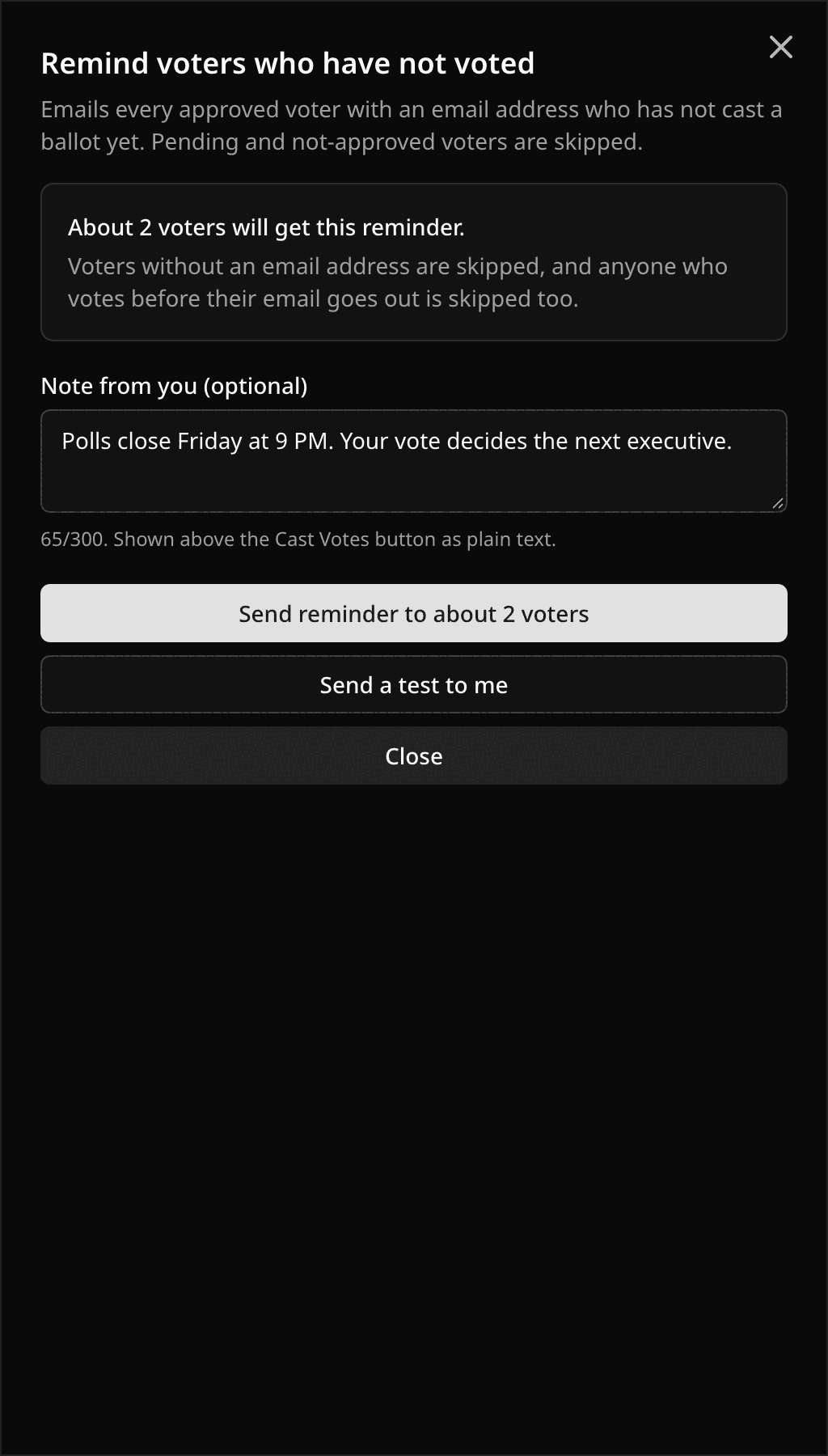
Turnout sitting still on day two? Open Voters in your election and select Send reminder. Pepvote emails every approved voter with an email address who has not voted, with a Cast Votes button that opens their ballot directly.
Reminders are available on the Starter and Custom plans, for elections only, while voting is open.
Who gets the email
- Approved voters with an email address who have not voted.
- Pending and not-approved voters are skipped.
- Anyone who votes between you clicking send and their email going out is skipped too.
The sheet shows an estimate before you send. It counts approved voters who have not voted, so the final number can be a little lower if some of them have no email address.
Add a note
Type up to 300 characters in Note from you. It appears above the button as plain text, so it is a good place for the closing time or why the vote matters. Leave it blank and the email still works.
The email also states when voting closes, in your timezone, with the zone spelled out for voters elsewhere.
Send a test first
Send a test to me emails the reminder to your own address with your note included. Use it to check the wording before it goes to voters.
If Send Emails To is set in your event settings, the reminder goes to that address instead of to voters, once.
One reminder every 12 hours
After a send, the button stays off for 12 hours. The sheet shows when the last reminder went out and how many voters it reached, and how long until you can send the next one.
Only the event owner and Managers can send reminders. Each send also fires a voter.reminder_sent webhook if you have endpoints set up.
Related help
Last updated October 16, 2026