Authentication
Create, use, scope, and delete Pepvote API keys.
Create an API key in Profile → API keys. Give it a clear name, choose its scopes, and copy it when Pepvote shows it. Store it in a server-side secret manager. Pepvote cannot show the full key again.
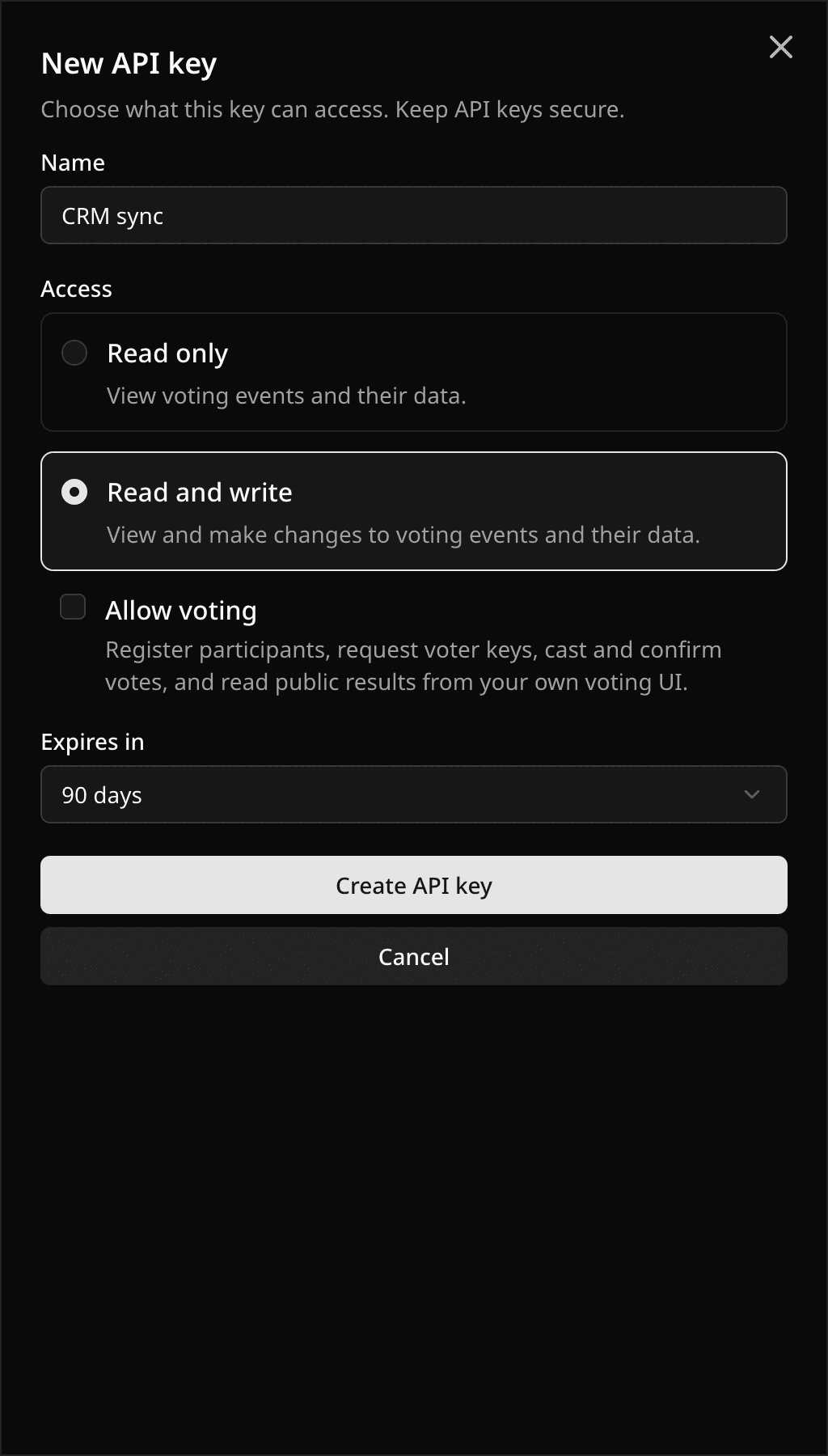
Each account can have two active API keys. This allows one live integration and one key during rotation.
Send a bearer key
Send the key in every authenticated request:
Authorization: Bearer pepvote_api_0123456789abcdef0123456789abcdef
A valid key starts with pepvote_api_ followed by 32 lowercase hexadecimal characters. Invalid, deleted, or expired keys return 401 unauthorized.
Send a user agent
Every request must include a User-Agent header. Use a name and version for your integration.
User-Agent: my-app/1.0
A missing header returns 403 user_agent_required.
Scopes
| Scope | Access |
|---|---|
read | Read organizer API resources. |
write | Read organizer resources and create, update, or delete them. |
vote | Call the public voting routes under /public. |
write includes read. vote is separate. A vote key can call public voting routes but cannot manage an event. A read or write key cannot cast votes. A key acts as the person who created it. It can only access events and actions that person can access in Pepvote. A missing scope returns 403 insufficient_scope.
Request log
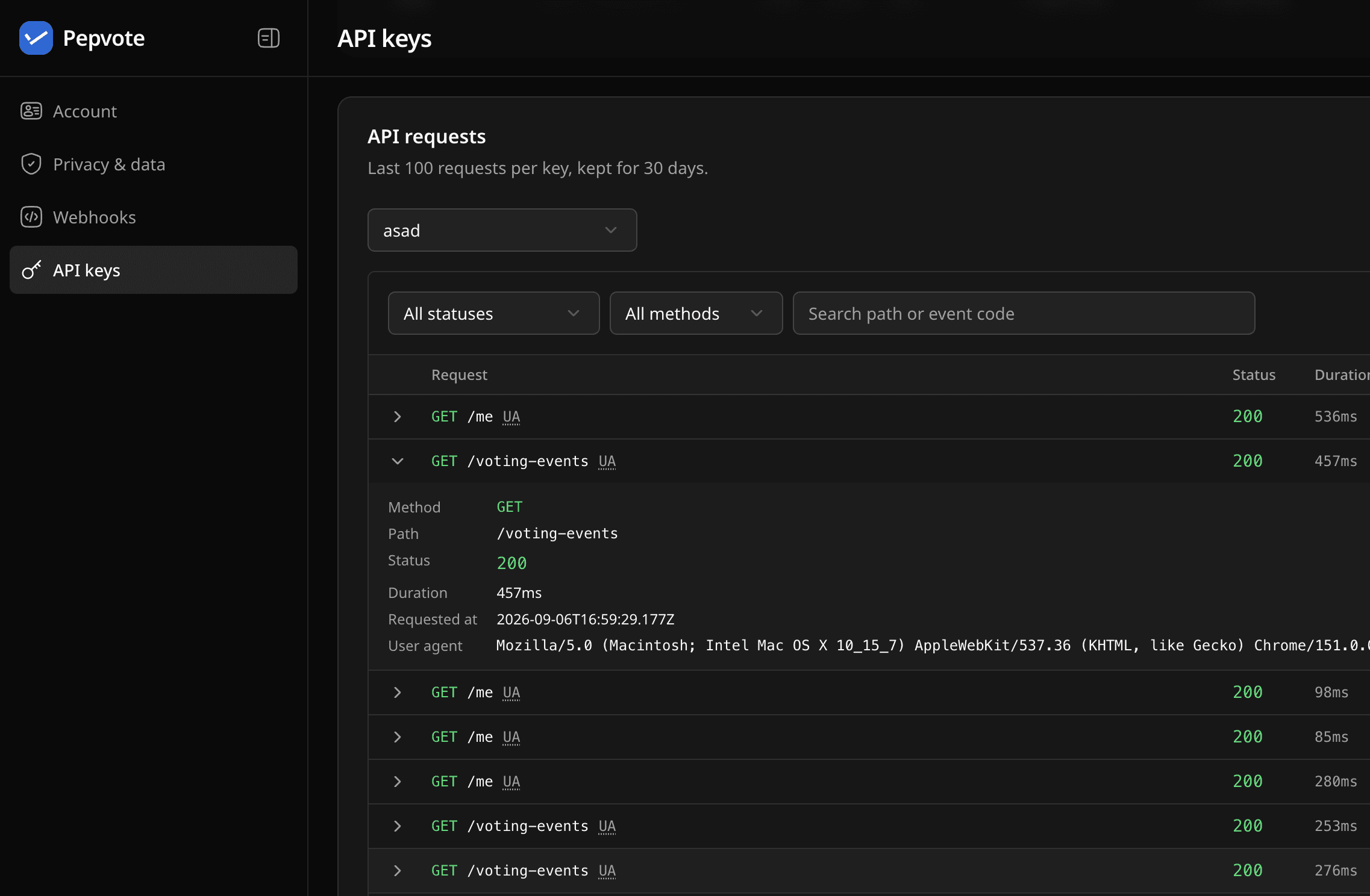
Open Profile → API keys. The API requests card below the keys table shows the last 100 requests for each key. Pick a key from the dropdown, or click its row in the table. You can filter by HTTP status or method, search by path or event code, and expand a row to see the full path, timing, error code, and user agent. Request logs are kept for 30 days. Clear history removes the saved requests for the selected key.
Delete a key
Open Profile → API keys, select the key, then delete it. Deleted keys stop working immediately and their request log is removed. Create a replacement key before deleting one used by a live integration.
Keep keys off the client
Do not put an API key in browser JavaScript, mobile app bundles, public repositories, or client-side analytics. The API does not provide CORS headers by design. Call Pepvote from your server, server action, worker, or trusted automation platform.
Last updated October 16, 2026